01SaaS Product
BuildFlow
Construction projects, finally in flow.
A whole SaaS product, not a website with a login.
The programme, the site, the paperwork and the client in one place — with an AI assistant that has read the whole job.
Capabilities
- SaaS product
- AI assistant
- Role-based access
- White-label
- Offline-capable
- Audit trail
Technology
- Next.js
- TypeScript
- Supabase
- PostgreSQL
- Row Level Security
- Vercel
The problem
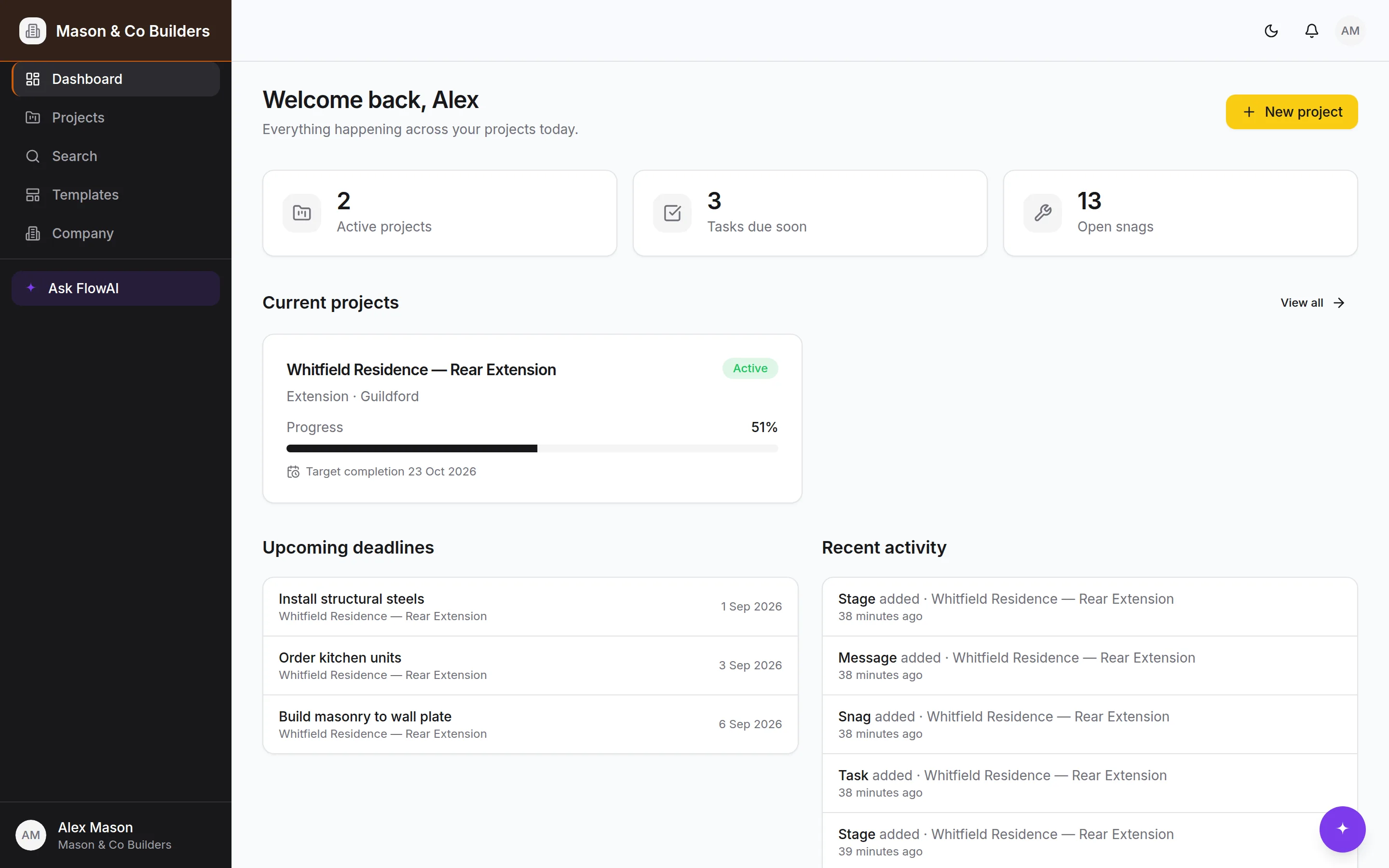
A building job generates a programme, a schedule of works, inspections, certificates, variations, photographs and a running conversation — and almost all of it ends up in email, three WhatsApp groups and somebody’s phone. The builder spends the evening answering questions the job already knows the answer to, and the homeowner, who can see scaffolding but not progress, sends the "any update?" text.
The idea
Build the thing the job actually is, rather than a generic project tool with construction words pasted over it. The stages, the building-control inspections, the snag list and the handover pack are the real ones, and the client gets a view of their own job instead of a phone call.
What we built
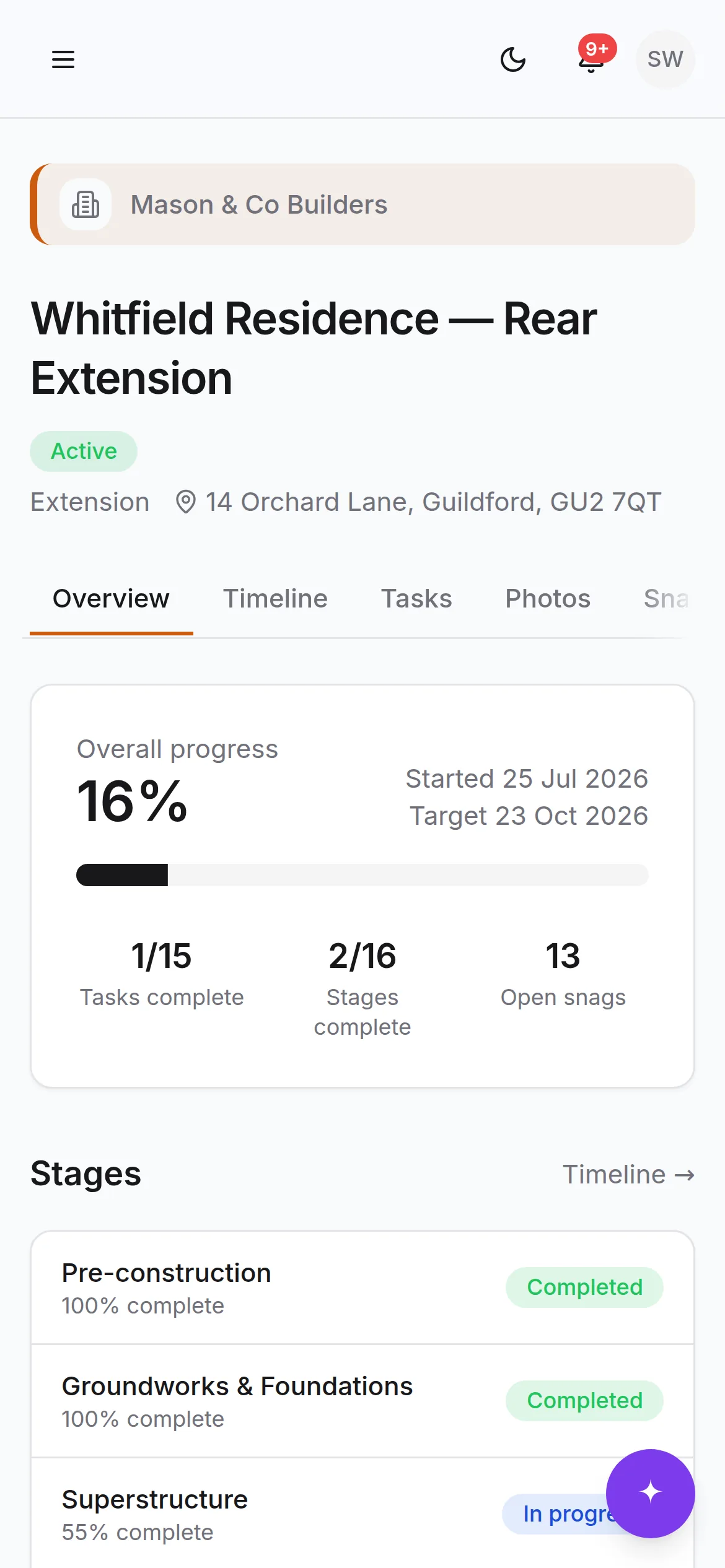
A complete SaaS product: the programme and task system, the site diary, progress photos, snagging, building control and certificates, a versioned document library, the handover pack, a project thread, notifications, global search, five distinct roles and a client experience — plus FlowAI, an assistant scoped to a single project. Free, Basic, Pro and Bespoke plans, with the whole product on every tier and the limits enforced in the database rather than in the interface.
How it works
A job starts from a template, or on Pro from the builder’s own proposal — FlowAI reads the PDF and drafts the stages, tasks, milestones and inspections as an editable form, and nothing is written until it is confirmed. From there the job runs from a phone in the yard: photos, diary entries and snags go in where the work is. The client scans a code on the site board and lands in their own project, seeing progress, photos, the documents marked visible and the decisions waiting on them — and never the costs, the diary or the internal notes. Access is Row Level Security on every table, so a client asking for something they are not entitled to is refused by the database rather than by a hidden button.
Key functionality
01
Programme & tasks
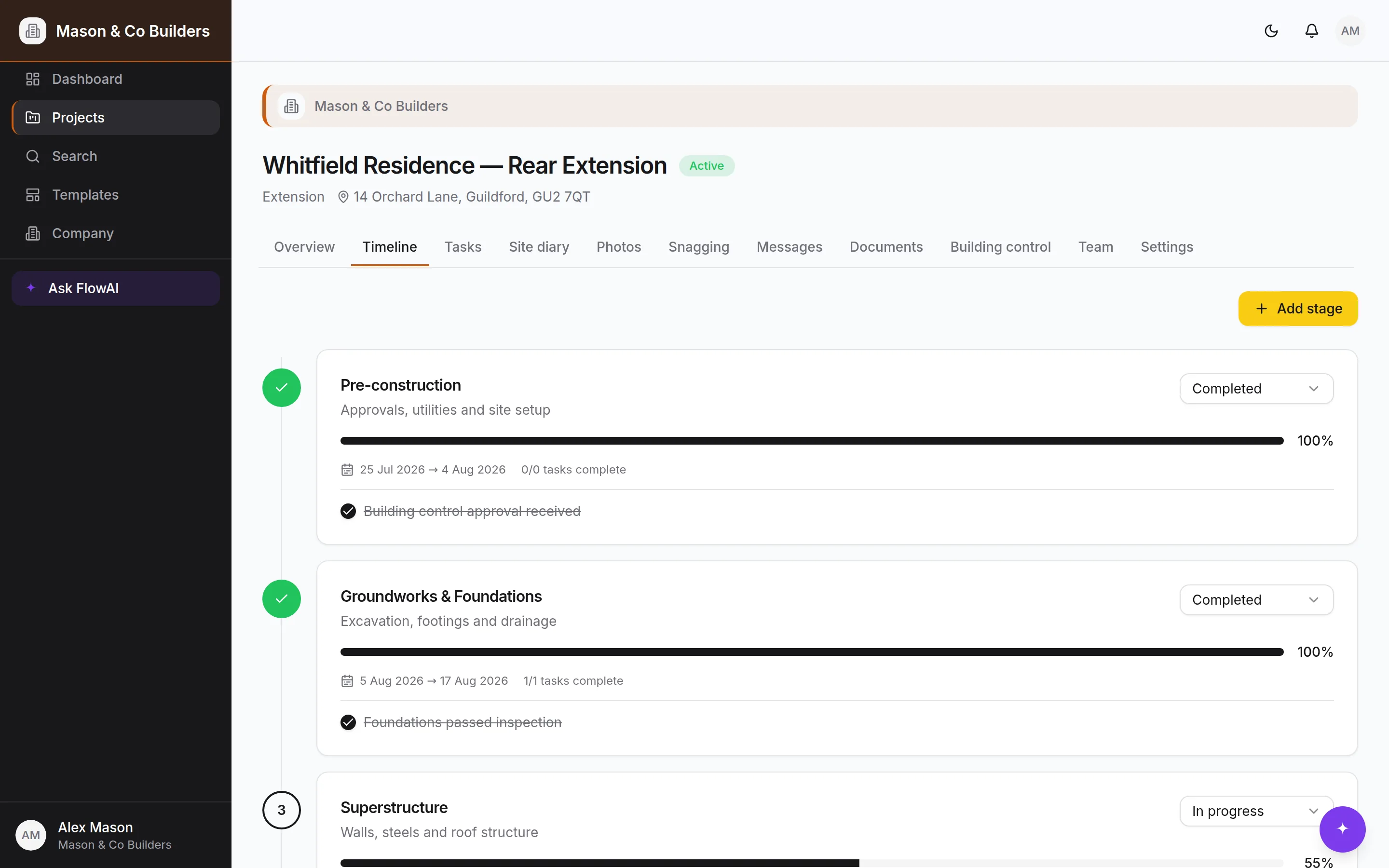
Pick a template — extension, loft, kitchen, new build — and the stages, tasks, milestones and the building-control inspection schedule are generated in one go, then moved about as the job changes.
02
Site diary
Weather, who was on site and for how long, what got done, what went wrong, what was delivered. Permanent once written, which is what makes it worth something eight months later.
03
Progress photos
Filed by room, trade and stage as they are taken, in private storage behind short-lived signed links. Before, during and completed sit side by side without anyone building an album.
04
Snagging with a two-sided trail
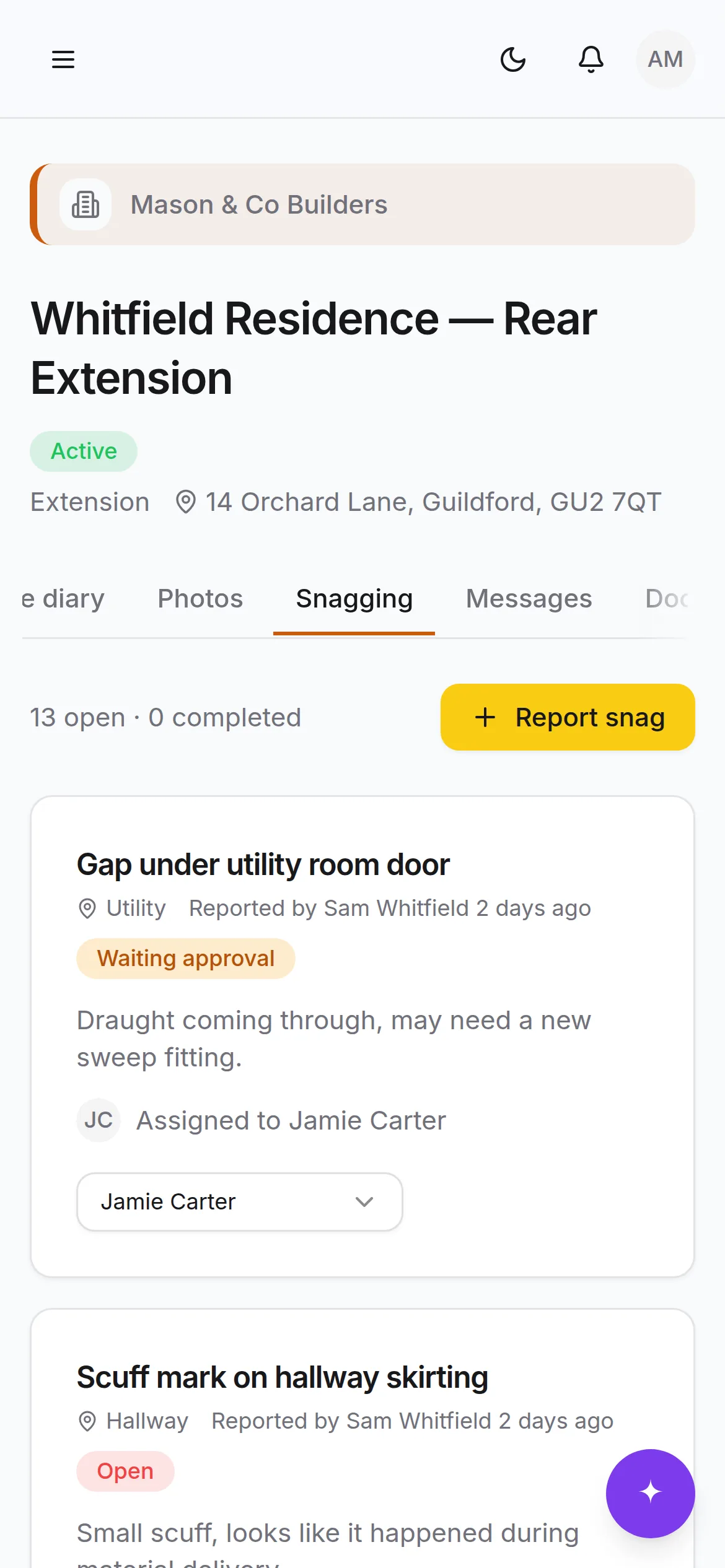
The client raises it with a photo, the team is assigned it, the client confirms the fix. Every step timestamped and attributable — which is what turns a snag list from an argument into a record.
05
Building control & certificates
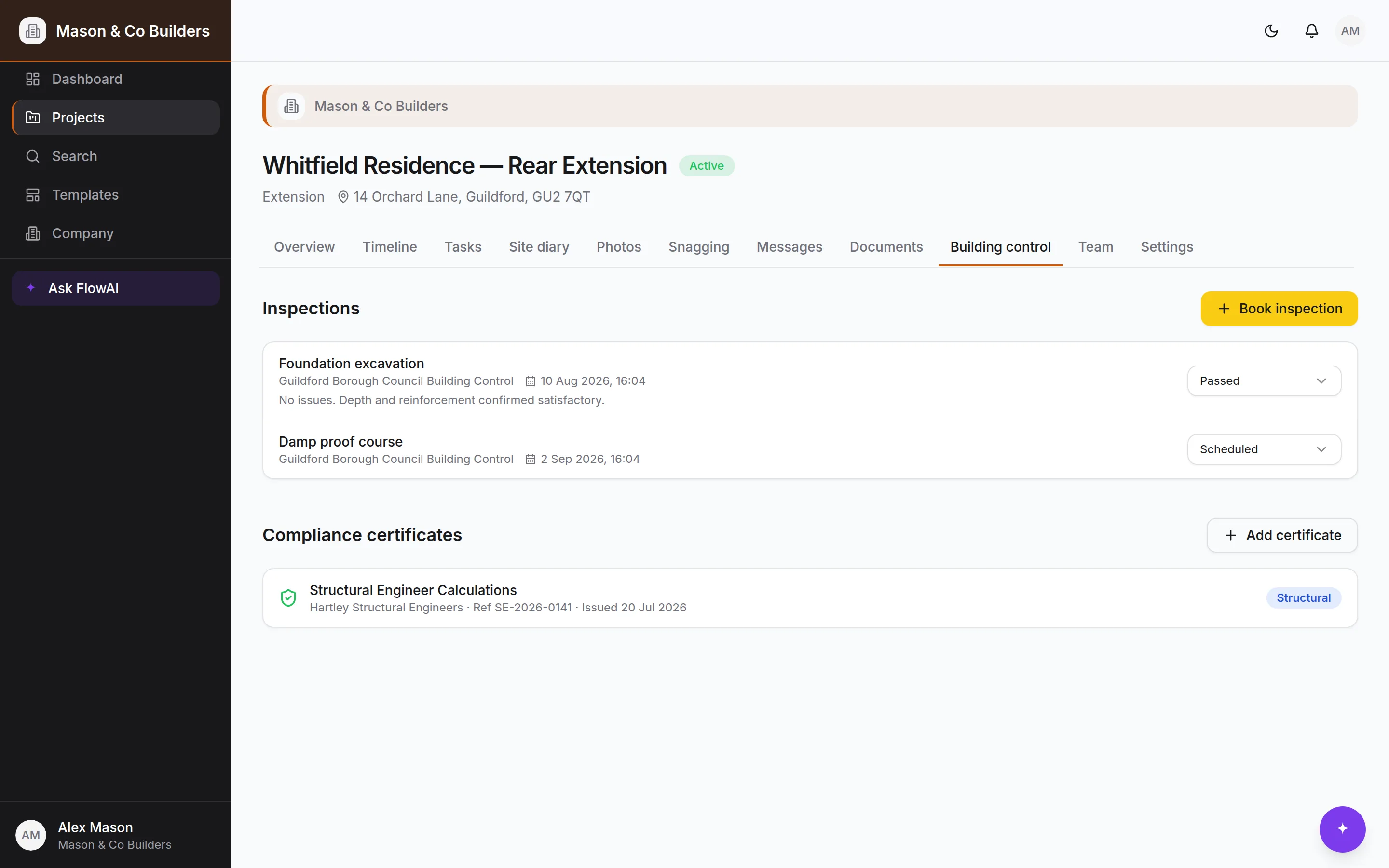
Inspections move through scheduled, passed, failed and reinspection against the stage they belong to. Certificates sit alongside them with issuer, reference and date, and remind you before they lapse.
06
Documents & handover
Version history on every document, visibility decided document by document, approvals recorded against a named person. The handover pack assembles itself as the job runs.
07
Clients join by QR
A secure invite link rendered as a code for the site board. Scan, make an account, land inside the right project — no invite chasing and no shared logins.
08
FlowAI
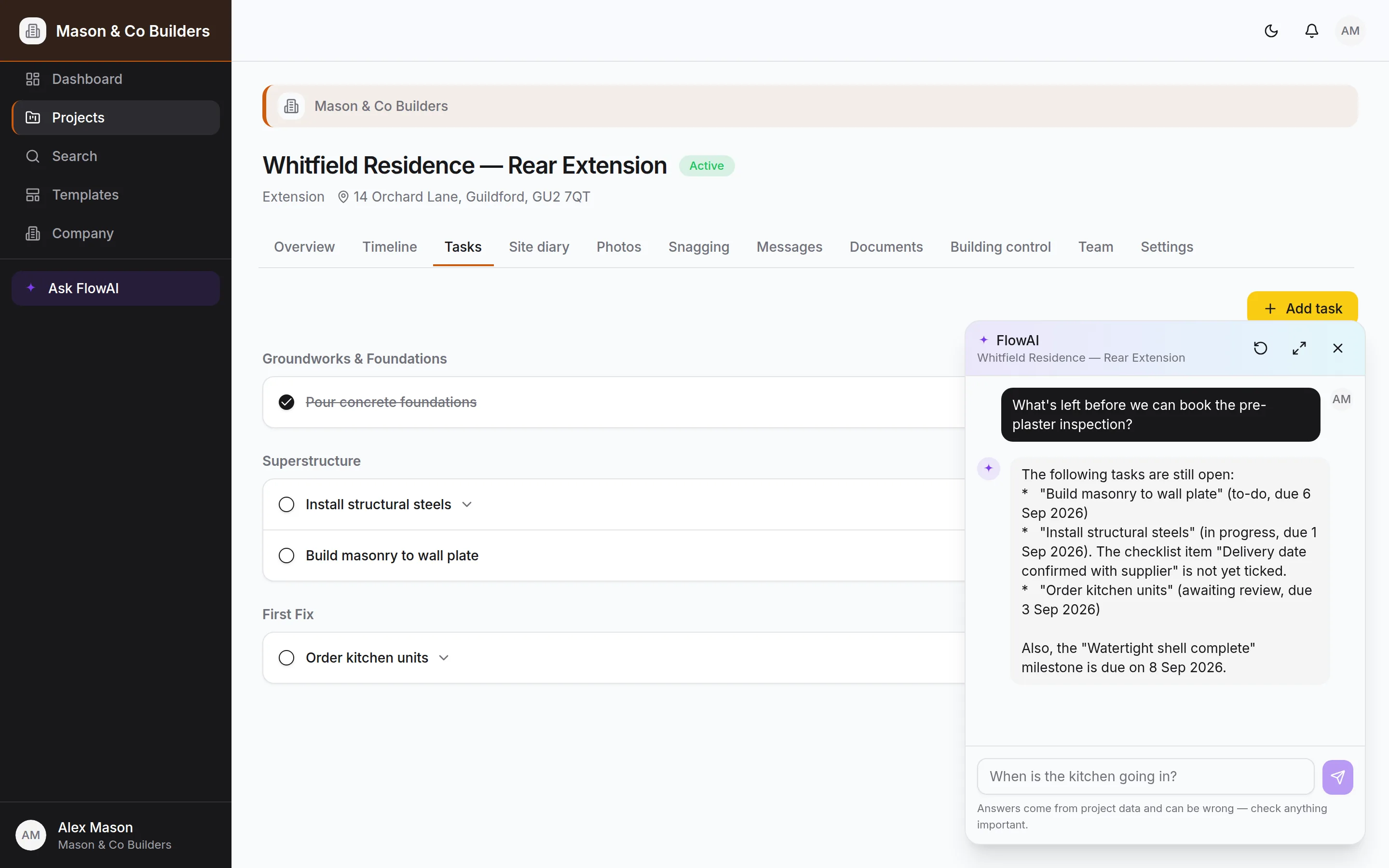
An assistant given the project rather than the internet. It answers from the programme, tasks, snags, documents and diary, and every change it makes arrives as a proposal you confirm.
Why it matters
It demonstrates the whole span of what Kudu does in one product: a real multi-role platform, a consumer-grade client experience, an AI assistant with guardrails designed for the times it gets something wrong, and a white-label model where a builder ships the thing under their own brand. It is live and running end to end — see for yourself.
One place for the programme, the site, the paperwork and the client.
An assistant built for the times it is wrong
FlowAI can change a live programme, which is exactly why the interesting design work is in the guardrails rather than the answers. It never writes without asking, and the confirmation card names the record as the database has it — resolved from an id rather than from what the model thought you meant — so a task matched wrongly is obvious before it lands. Every lookup and every change runs on the user’s own session, so it inherits their access and no more. Deleting, invitations, role changes and plan changes are deliberately not tools it has at all. And it runs to a measured monthly budget that stops it rather than surprising anyone.
Security as a database rule, not a hidden button
Every table carries Row Level Security, so who can see a project, a document or a diary entry is decided on every query — including ones that never touch the interface. Files live in private storage with short-lived signed links and no public URLs. Database triggers write an append-only audit trail of who changed what and when, with old and new values, that nobody can edit. It is the difference between a product that is safe and a product that looks safe.