01SaaS Product
SiteScope
The whole building job, from the first phone call to the last invoice.
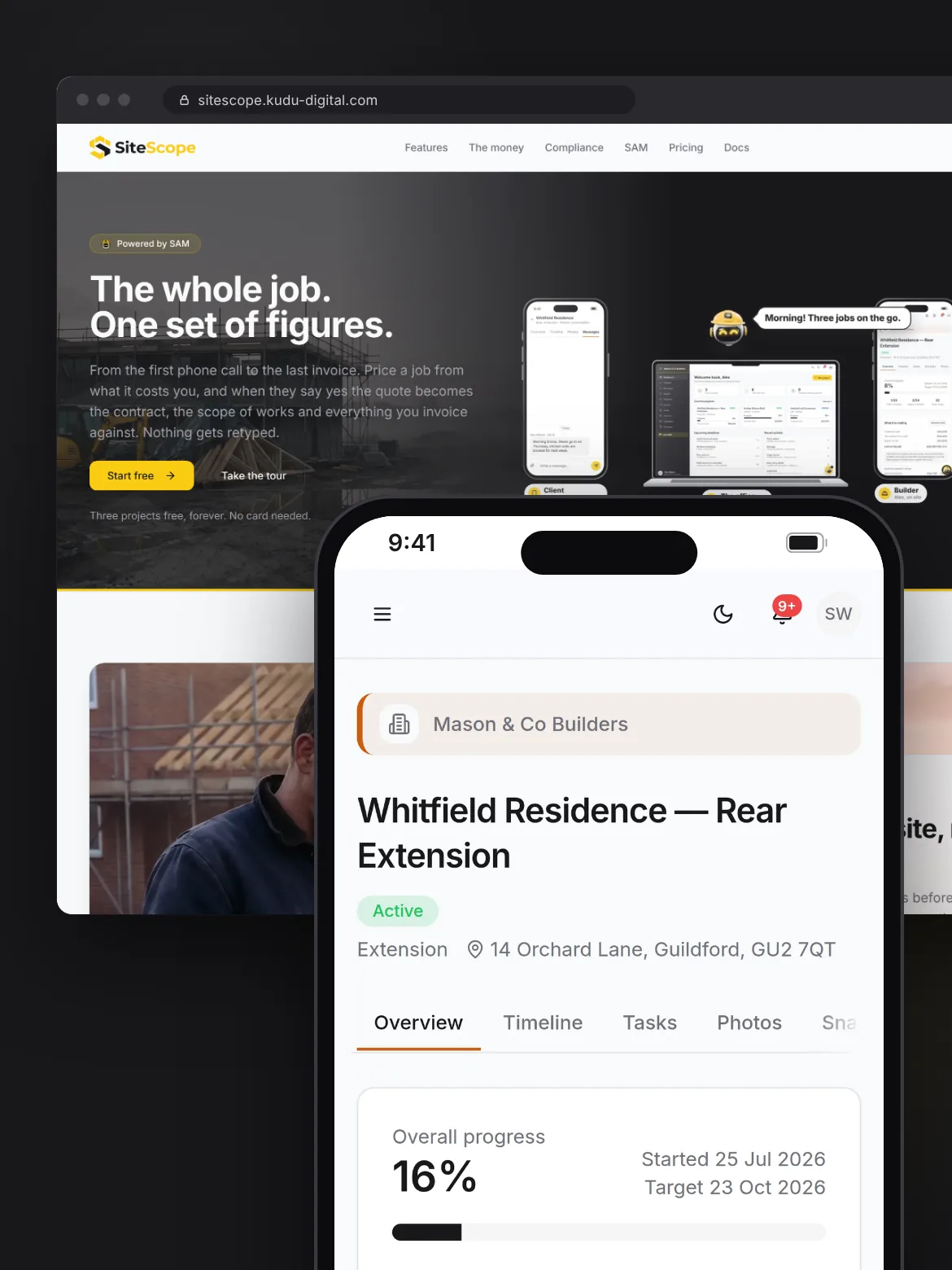
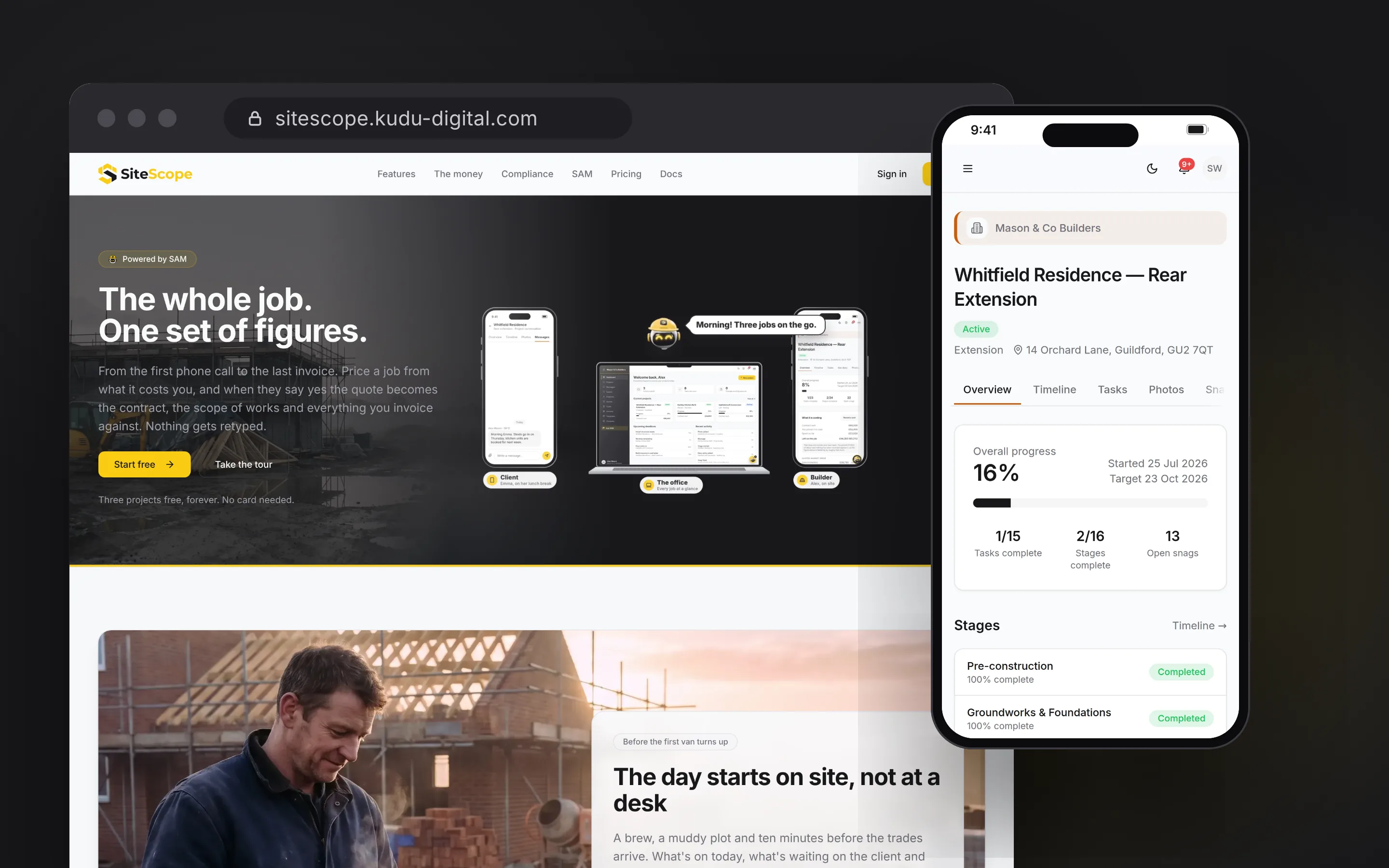
Enquiries, quoting, the programme, the site, invoicing and handover in one product for UK builders — with SAM, an AI site manager we built into it that has read the whole job.
- Capabilities
- SaaS product
- AI assistant
- Agentic tool use
- Role-based access
- White-label
- Offline-capable
- Audit trail
- Technology
- Next.js
- TypeScript
- Supabase
- PostgreSQL
- Row Level Security
- LLM tool calling
- Stripe
- Vercel

Built in — SAM, the SiteScope Assistant Manager
We built an AI that works the product, not one that talks about it.
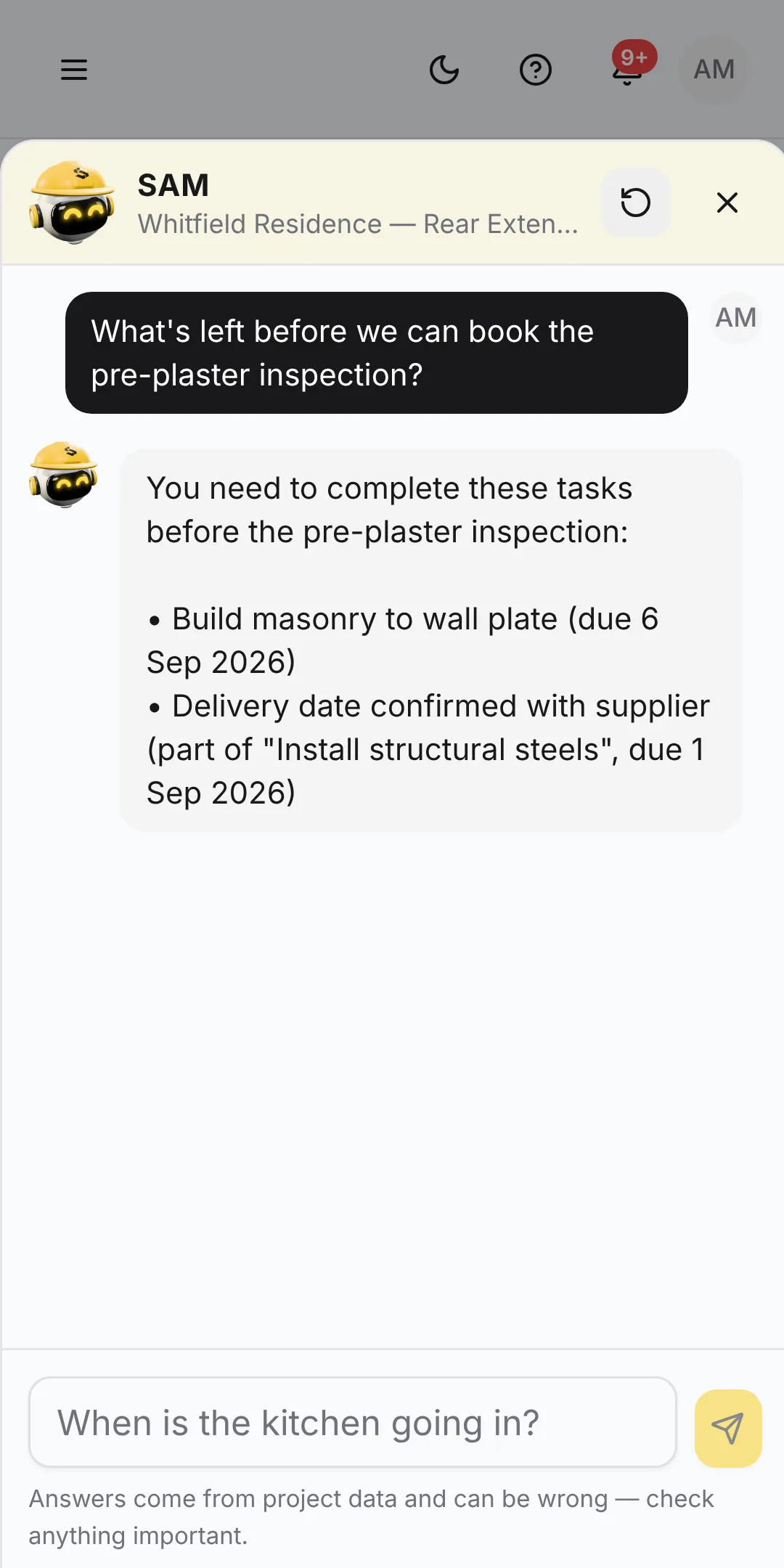
SAM is not a chatbot bolted on the side. We designed and built it into SiteScope and gave it the project rather than the internet: the programme, tasks, snags, documents, diary, quotes and costs. It answers from that, offers to do the admin before it is asked, and works the tool on the builder’s behalf — every change arriving as a proposal they confirm.
Answers from the job
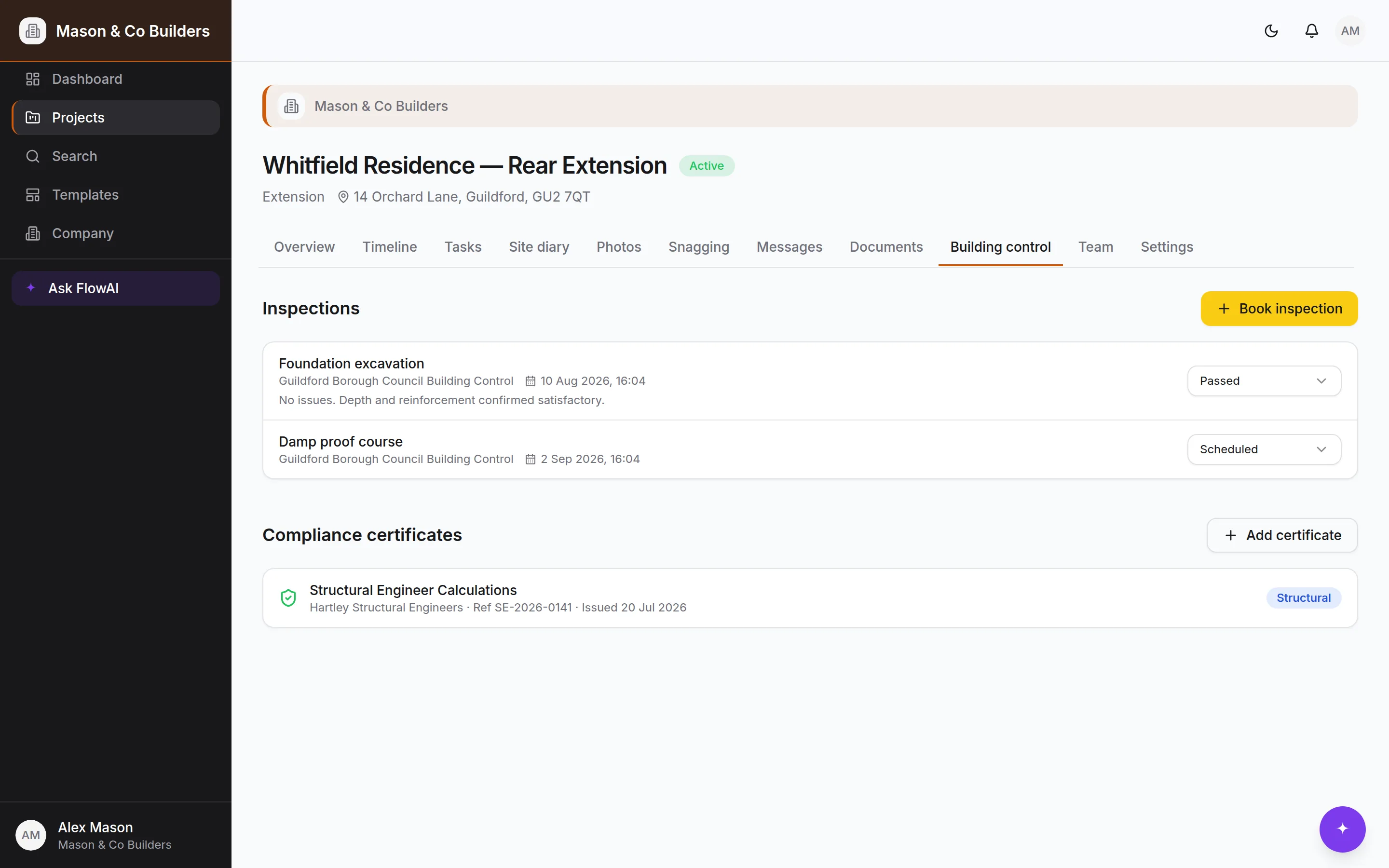
“What’s left before the pre-plaster inspection?” Read from the stage, its tasks and the building-control schedule — with who has each one.
Changes it on your say-so
Moves milestones, updates tasks and snags, posts to the client. Each one a confirmation card naming the record as the database has it.
Offers before it’s asked
A client asks for something extra and SAM offers to price it, write the reply, send the change for approval and draft the invoice.
A programme from a PDF
Upload the proposal you already sent — even a photo of it — and SAM drafts the stages, tasks, milestones and inspections as an editable form.
A whole SaaS product with its own AI, not a website with a login.
The problem
A building job generates an enquiry, a quote, a programme, inspections, certificates, variations, invoices, photographs and a running conversation — and almost all of it ends up in email, three WhatsApp groups, a spreadsheet and somebody’s phone. The builder spends the evening answering questions the job already knows the answer to, and the homeowner, who can see scaffolding but not progress, sends the "any update?" text.
The idea
Build the thing the job actually is, from the first phone call to the last invoice, rather than a generic project tool with construction words pasted over it. Then put an assistant inside it that has read the whole job — so the answers, and a good share of the admin, come from the product instead of from the builder.
What we built
A complete SaaS product: enquiries, quoting from costs, contracts, the programme and tasks, the site diary, progress photos, snagging, building control and certificates, a versioned document library, invoicing, CIS and retention, the handover pack, a project thread, notifications, five distinct roles and a client experience. And SAM — an AI assistant we designed and built into it, with its own tools, its own guardrails and its own monthly allowance. Free, Basic, Pro and Bespoke plans, with the limits enforced in the database rather than in the interface.
How it works
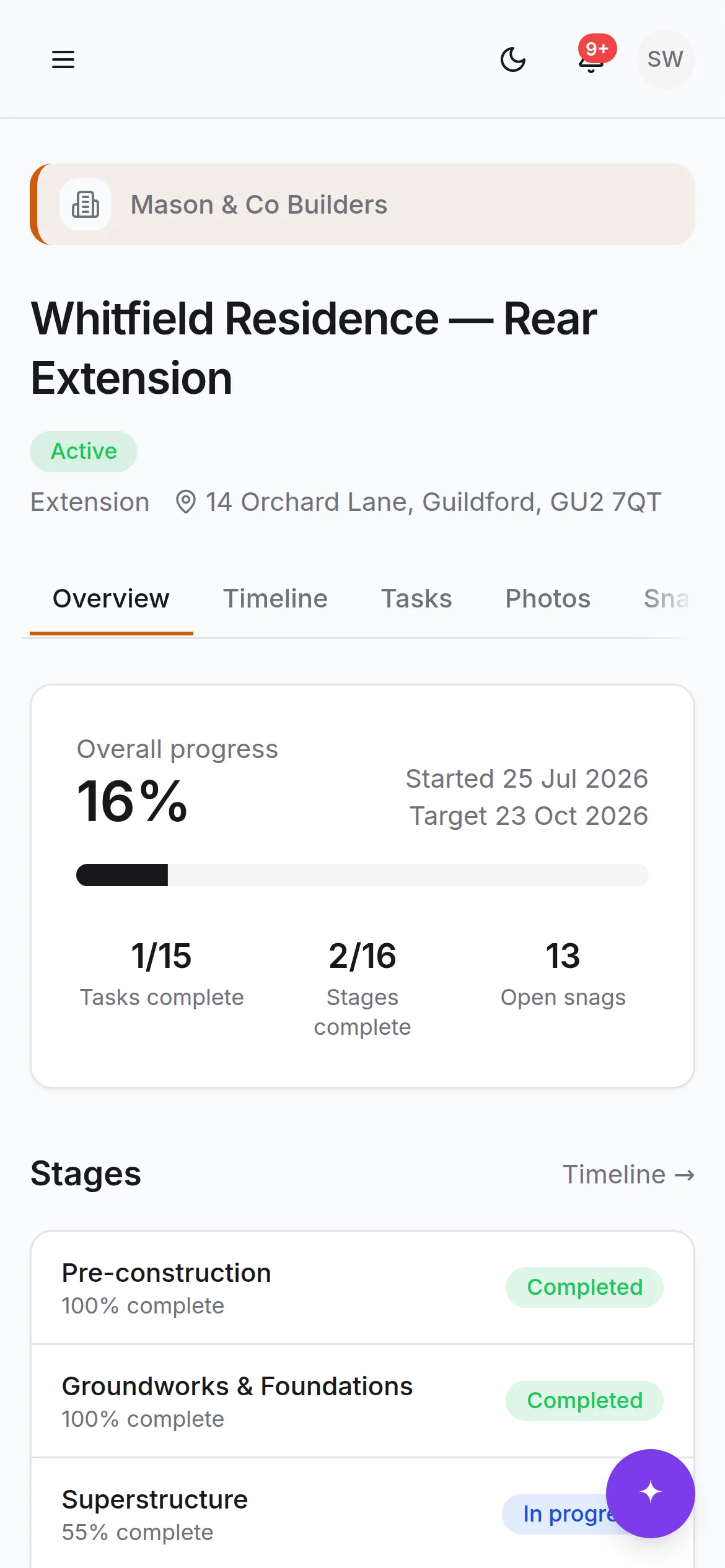
An enquiry becomes a quote built up from real costs, and an accepted quote becomes the contract and the programme. From there the job runs from a phone in the yard, and SAM sits in the corner of every screen, already scoped to the project you are looking at. It reads through the same tools a person would use, on that person’s own session, so it can never see or change more than they can. The client scans a code on the site board and lands in their own project — progress, photos, the documents marked visible and the decisions waiting on them, never the costs or the internal notes. Access is Row Level Security on every table, so a request someone is not entitled to is refused by the database rather than by a hidden button.
Key functionality
01
SAM, the AI site manager
An assistant given the project rather than the internet, pinned to the corner of every screen. It answers from the job, offers to do the admin, and every change it makes arrives as a proposal you confirm.
02
Enquiries to quotes
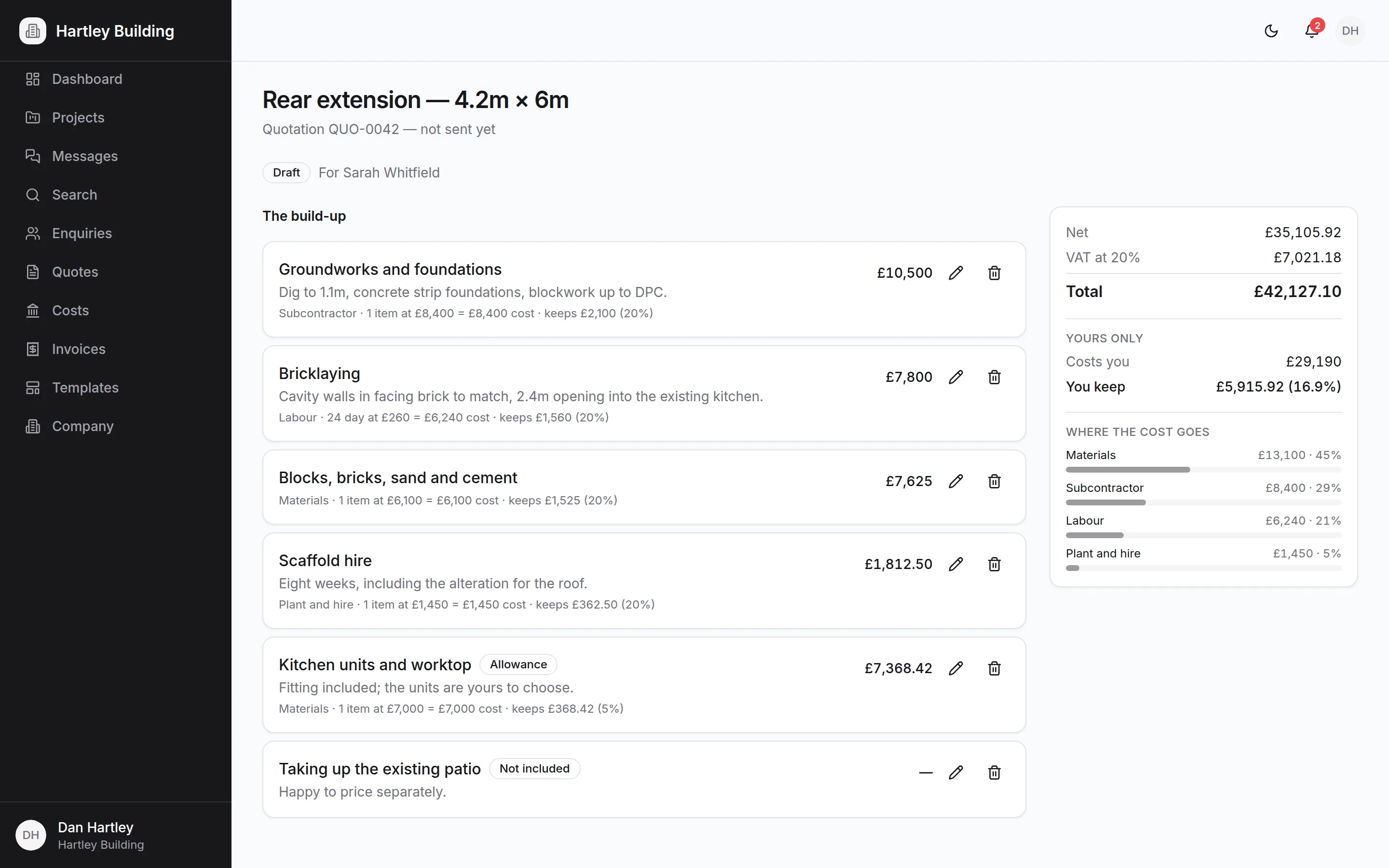
Every enquiry logged while they are still on the phone. The price is built up from labour, materials, subbies and plant — and it shows that a 20% margin means adding 25%, not 20%.
03
The quote becomes the contract
They say yes and the job starts itself: contract sum, VAT rate and the full scope of works — including what is excluded — written from the quote already sent.
04
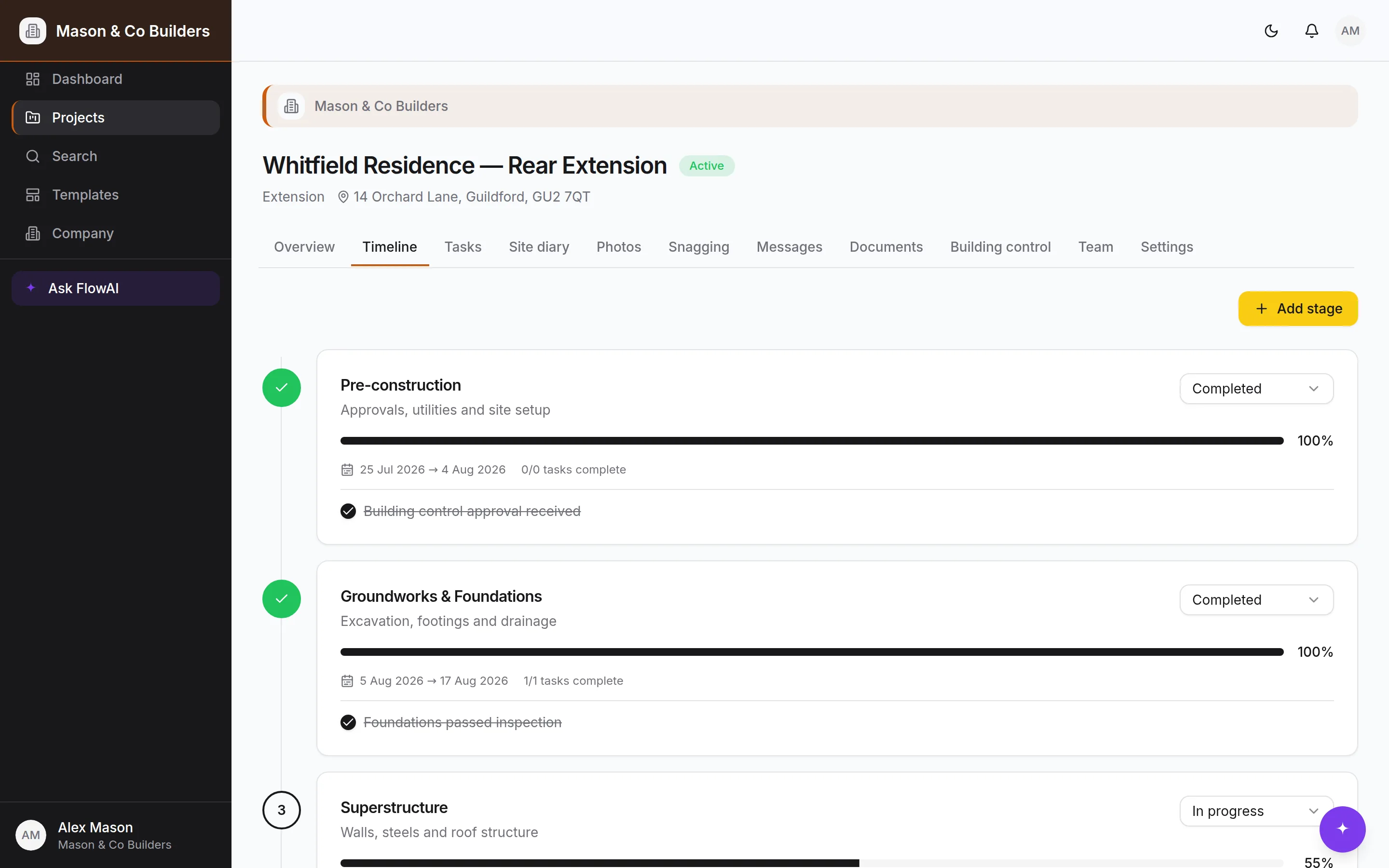
Programme, diary & photos
Pick a template and the stages, tasks, milestones and building-control inspections are generated in one go. Diary entries are permanent; photos are filed by room, trade and stage in private storage.
05
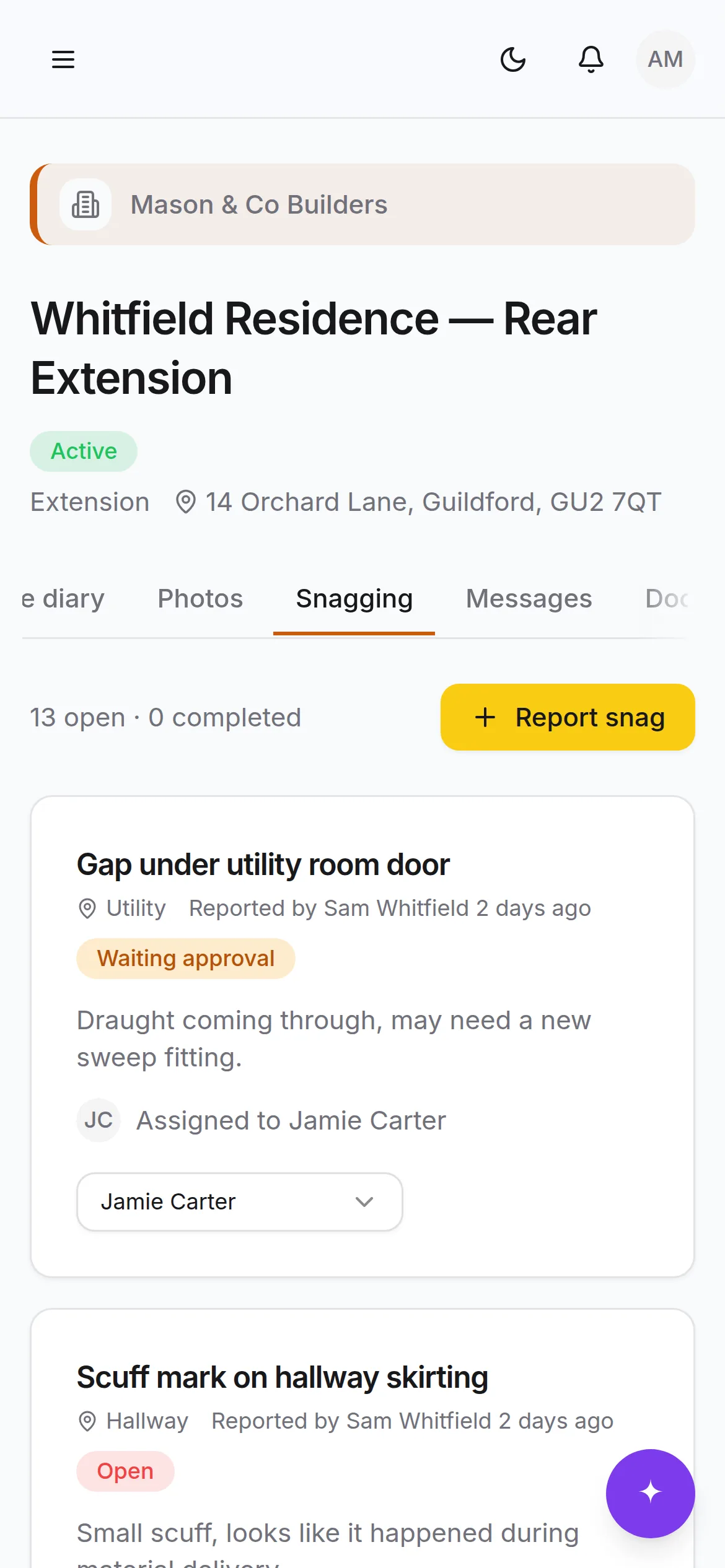
Snagging with a two-sided trail
The client raises it with a photo, the team is assigned it, the client confirms the fix. Every step timestamped and attributable — a record rather than an argument.
06
Invoicing, CIS & handover
Invoices raised from what the job says is owed and frozen once issued. CIS, retention and the defects period tracked. The handover pack is a click.
Why it matters
It demonstrates the whole span of what Kudu does in one product: a real multi-role platform, a consumer-grade client experience, a white-label model where a builder ships it under their own brand — and an AI built into the product, working with it, with guardrails designed for the times it gets something wrong. It is live and running end to end. See for yourself.
Plan. Track. Deliver. And a site manager that has read every page of the job.
An assistant built for the times it is wrong
SAM can change a live programme, which is exactly why the interesting design work is in the guardrails rather than the answers. It never writes without asking, and the confirmation card names the record as the database has it — resolved from an id rather than from what the model thought you meant — so a task matched wrongly is obvious before it lands. Every lookup and every change runs on the user’s own session, so it inherits their access and no more. Deleting, invitations, role changes and pricing decisions are deliberately not tools it has at all. A single question has a ceiling across all its steps, and the whole thing runs to a monthly allowance that pauses it rather than surprising anyone with a bill.
Security as a database rule, not a hidden button
Every table carries Row Level Security, so who can see a project, a document or a diary entry is decided on every query — including the ones SAM makes and the ones that never touch the interface. Files live in private storage with short-lived signed links and no public URLs. Database triggers write an append-only audit trail of who changed what and when, with old and new values, that nobody can edit. It is the difference between a product that is safe and a product that looks safe.
Next project
PROMOVO